
Office desk removal goes smoothly when each desk is treated as a small asset package, not just a piece of furniture. Before the crew arrives, empty the drawers, remove screens and cables, record which desks are authorised for removal, decide who owns the fixed or modular parts, and measure the route from the workstation to the vehicle.
A desk is rarely one object. It may include a pedestal, a modesty panel, a cable tray, a monitor arm, a keyboard shelf, a locked drawer and a set of keys that nobody can find. Each of those details affects the quote, the dismantling plan and the risk of removing something that should have stayed.
Treat the desk as an inventory line, not a loose item
Start with a list. Give each desk or workstation a reference, even if that is only a floor, row and number. Record its type, approximate size, condition and any attached components. A straight desk, an L-shaped desk, a height-adjustable frame and a run of bench desks are not the same job, and a removal estimate based on “twenty desks” hides that difference.
Add the person or team responsible for approving removal. Asset registers, leased furniture and landlord-supplied fit-out can all look identical to loose office furniture. A worn desk may still belong to a supplier, a former tenant or the building. Check the lease, supplier agreement or asset register before it appears on the removal list.
The broader office furniture removal guide covers chairs, cabinets, meeting tables and mixed-material office loads. This guide stays with desks and workstations, where the main problems are attached parts, drawers, cables and the way modular systems are assembled.
Photograph each workstation before changes begin
A single wide photograph of the floor is not enough. Photograph each desk from the front and side, then take a close image of any label, locked drawer, damaged edge or fixed connection. Include the underside if cables or brackets are visible. These images help the collector understand the job and give the office a record of what was approved.
Number the photographs to match the inventory. If a desk is later moved to another room or reassigned to a colleague, update the list rather than relying on memory. The aim is that anyone reading the inventory can tell what the crew was expected to take.
Decide what happens to each desk before dismantling
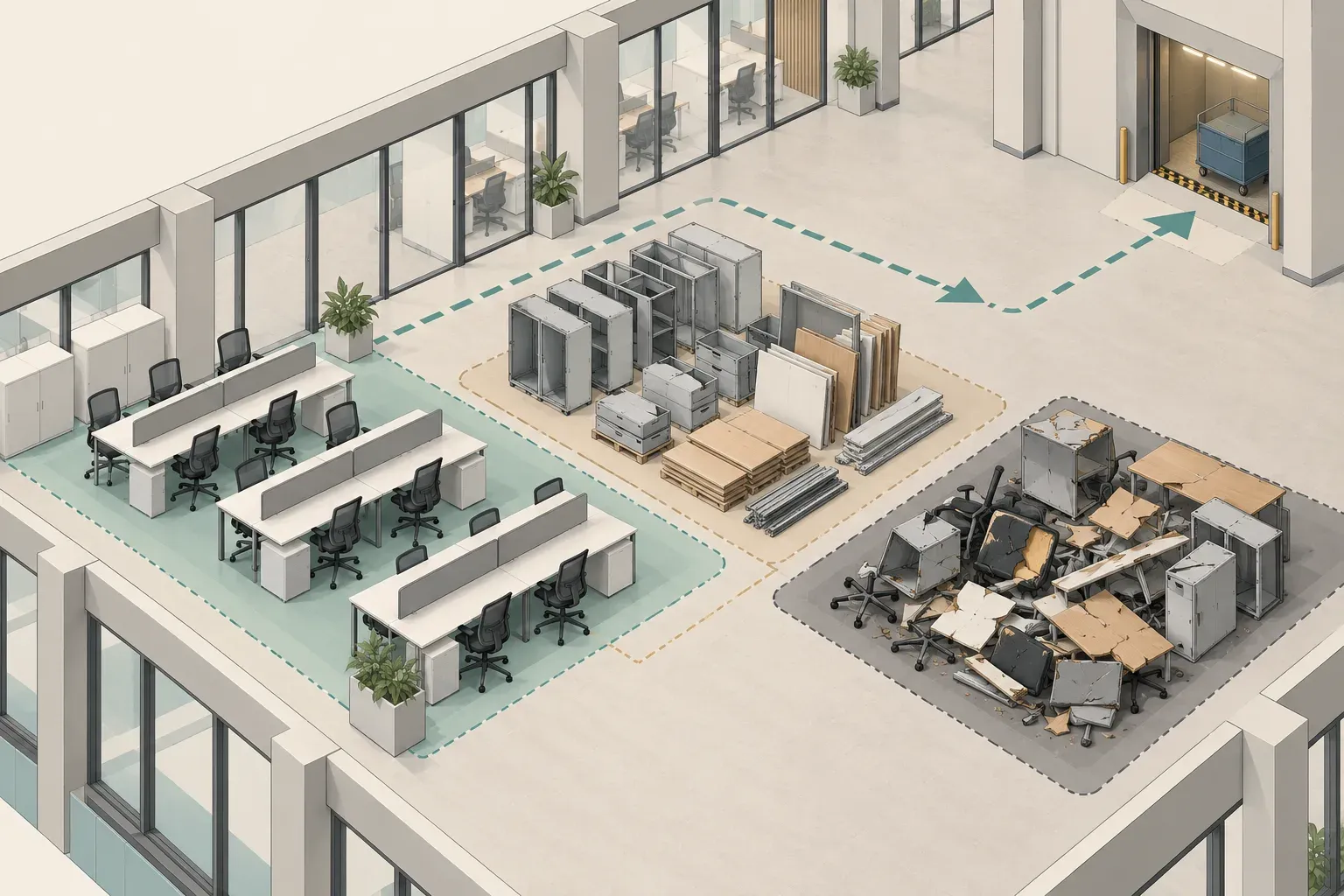
Not every desk on the list is destined for removal. Sort workstations into practical groups:
1. Desks authorised for removal. 2. Desks staying for the next occupier or the landlord. 3. Desks being transferred to another office or staff member. 4. Desks that need a separate decision from finance, facilities or the lessor.
Keep group four away from the removal route until the decision is made. Silence is not approval. If a desk is still undecided at the cutoff time, leave it out of the load and agree a later visit instead of making a hurried judgement while the crew waits.
For transfer or donation, check whether the desk is complete. A frame without its top, a pedestal without a key or a bench run missing its connectors is difficult to reuse and may not be worth carrying. Condition also affects the route, so record whether each desk is stable, complete and safe to carry.
Do not mix personal and company property
Staff may leave notebooks, ornaments, chargers, headphones, medication, spare clothing or personal photographs in a desk. Give the team a deadline to collect these items and announce where unclaimed property will be held. Do not tell a crew to “take whatever is left” unless the business has actually decided that everything left behind may be discarded.
A short notice on each workstation works better than a general email. It reminds the user to empty the drawers, remove personal items and report any company equipment that does not belong to them. The notice should also name the person to contact if something is missing.
Empty drawers, lockers and hidden compartments
Drawers conceal the items most likely to cause delay. Open each one, including the shallow centre drawer, the lowest file drawer, the pedestal and any shelf or locker attached to the desk. Remove documents, cash, keys, passports, access cards, cheque books, stamps, media, spare batteries and personal belongings. Look beneath the unit and behind the back panel for papers that have slipped out of reach.
Locked drawers need a plan before the day. Find the key, identify who is authorised to open the unit and record what was found. The removal crew should not be asked to force a lock or decide whether the contents are rubbish. If no key can be found, mark the unit as unresolved and leave it out of the load until the office decides how to proceed.
Do not leave sensitive records in a drawer on the grounds that the crew is only taking furniture. Business records belong to the office's own retention and confidentiality process. The clearance team needs to know that a unit is empty and ready to move; it does not need to read the paper inside.
Check for batteries, liquids and small hazards
Desk drawers can hide mobile power banks, loose batteries, cleaning sprays, glue, lighters, medication and cosmetics. Remove these items before the unit is picked up. If you are unsure what a material is, keep it separate and ask the service what it accepts.
Do not place liquids or aerosols in a drawer to remove them quickly. They can leak, rupture or contaminate paper and other contents. The accepted versus excluded guide is a useful reference when an office is clearing small mixed items alongside the desks.
Handle monitors, computers and cables as a separate task
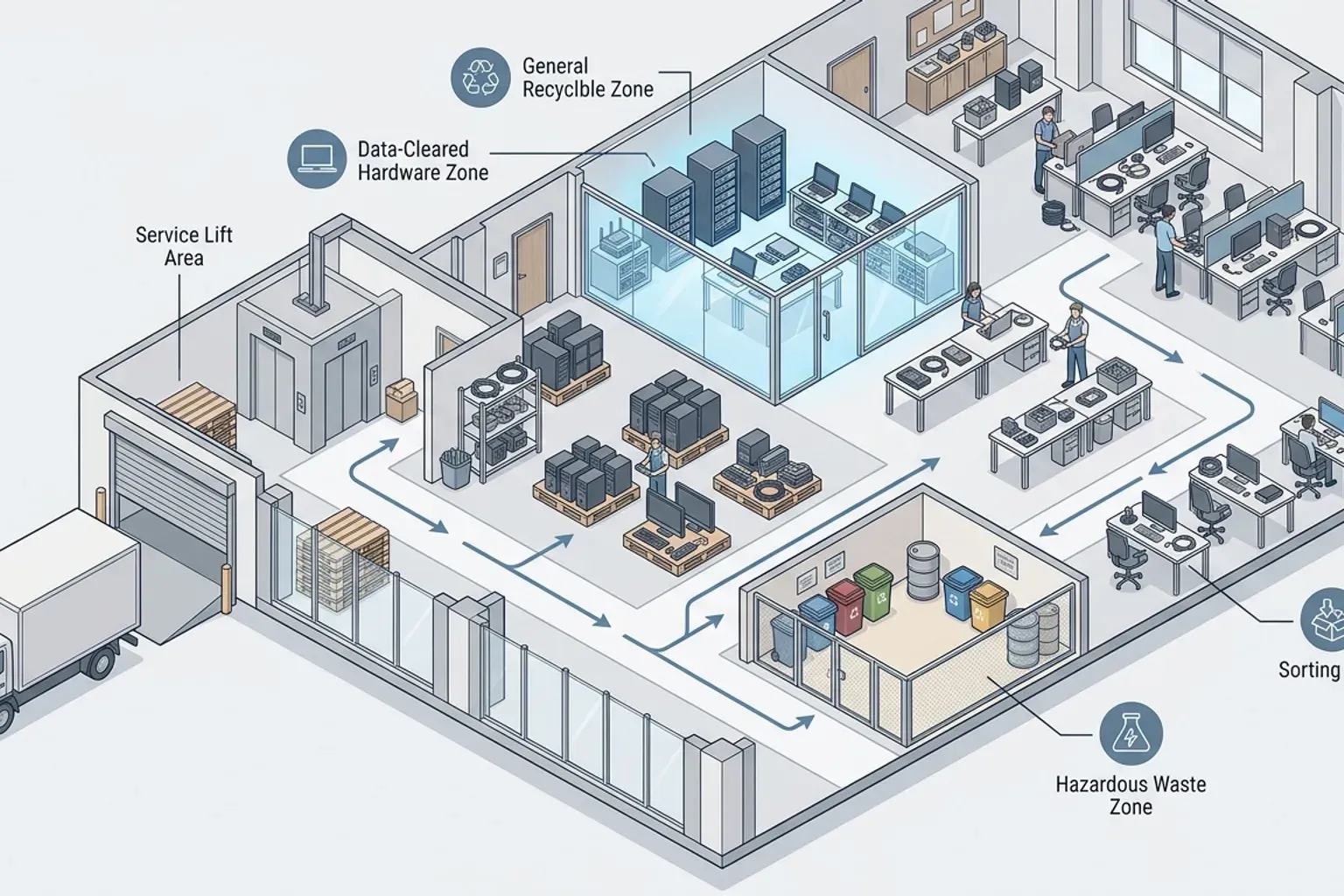
Computers, monitors, docking stations, telephones, printers and chargers should not be treated as part of the desk. They need their own inventory, and the IT owner should decide what is retained, reused or sent for electronics handling. Disconnect devices before furniture dismantling begins so that nobody is working beside live equipment or dragging cables across the floor.
Take particular care with data-bearing equipment. The service can collect office electronics with a load where appropriate, but it does not provide certified data erasure. The business should use its own authorised process for any laptop, hard drive, tablet or phone, and keep its own evidence. The IT equipment disposal guide explains why internal data sanitisation and physical collection are separate stages.
Cable management also affects the desk itself. Remove loose cables and power strips. Detach monitor arms and cable trays only if the office knows who is allowed to do that and how the parts will be identified. Bag small screws, brackets and keys with the relevant desk reference when the plan includes reuse or transfer. Otherwise, state clearly that the desk is for removal and hardware need not be preserved.
Identify power and network connections
Do not assume that an unplugged desk is safe to cut free. Floor boxes, trunking, desk-mounted sockets and network patch points may be connected to building services. The office should arrange for the correct technician or facilities contact to isolate and cap anything that is hard-wired. A removal crew should not be asked to make or break electrical connections.
If the desk is only plugged into a wall outlet, record that the lead has been removed. For built-in sockets or integrated cable ports, mark the desk as needing a separate decision. Take a photograph of the connection point before work begins.
Separate loose desks from fixed and modular systems
A loose desk can usually be lifted and carried once its contents have been removed. A fixed desk is different. It may be bolted to a wall, screwed into a partition, anchored to a floor or integrated with cabinets and power. Reception counters, executive credenzas and built-in workstations can also form part of the premises rather than the tenant's furniture.
Modular systems need a clear dismantling instruction. Workstation clusters may share legs, screens, power spines and connection brackets. Taking one desk out of the middle of a run can leave the neighbouring station unstable. Decide whether the whole cluster is being removed, and mark the boundary before anybody starts to unscrew it.
Ask the landlord or building manager whether any fixed item must remain in place. Do not remove fitted items on the assumption that they belong to the business. If a desk is part of the fit-out, fit-out removal is a different job with a different approval route. The office strip-out guide explains why loose contents and fixed fit-out should be kept apart.
Decide who may dismantle
Dismantling can be done by the office, the original supplier, a specialist installer or the removal crew, depending on the arrangement. Do not assume it is included. State exactly which desks need to be taken apart, who has authority to do so and how the parts will be handled afterwards.
Protect shared walls and flooring during the work. A leg or panel that is dragged along a floor can leave a mark that is noticed during building inspection. If the desk is being scrapped, agree whether components will be loaded together or sorted by material. If it is being reused, keep the hardware with its panels.
Measure the route and the largest desk
Desk size can cause more trouble than weight. A long top, a return section or an unseparated pedestal unit may not turn in a corridor or fit in a lift. Measure the largest intact piece in length, width and height, then compare it with doors, lift openings, stair turns and the loading bay.
Walk the route from the workstation to the vehicle. Note door widths, thresholds, glass partitions, fire doors, lift capacity, floor protection and any places where other tenants share the corridor. Confirm the building's contractor, lift booking and loading arrangements before promising a collection time.
Where the building has strict access hours, put the desks that are easiest to lift in the first group. Leave special, fragile or complicated units for a time when the route is clear and the right person is present to supervise.
Keep the work area controlled
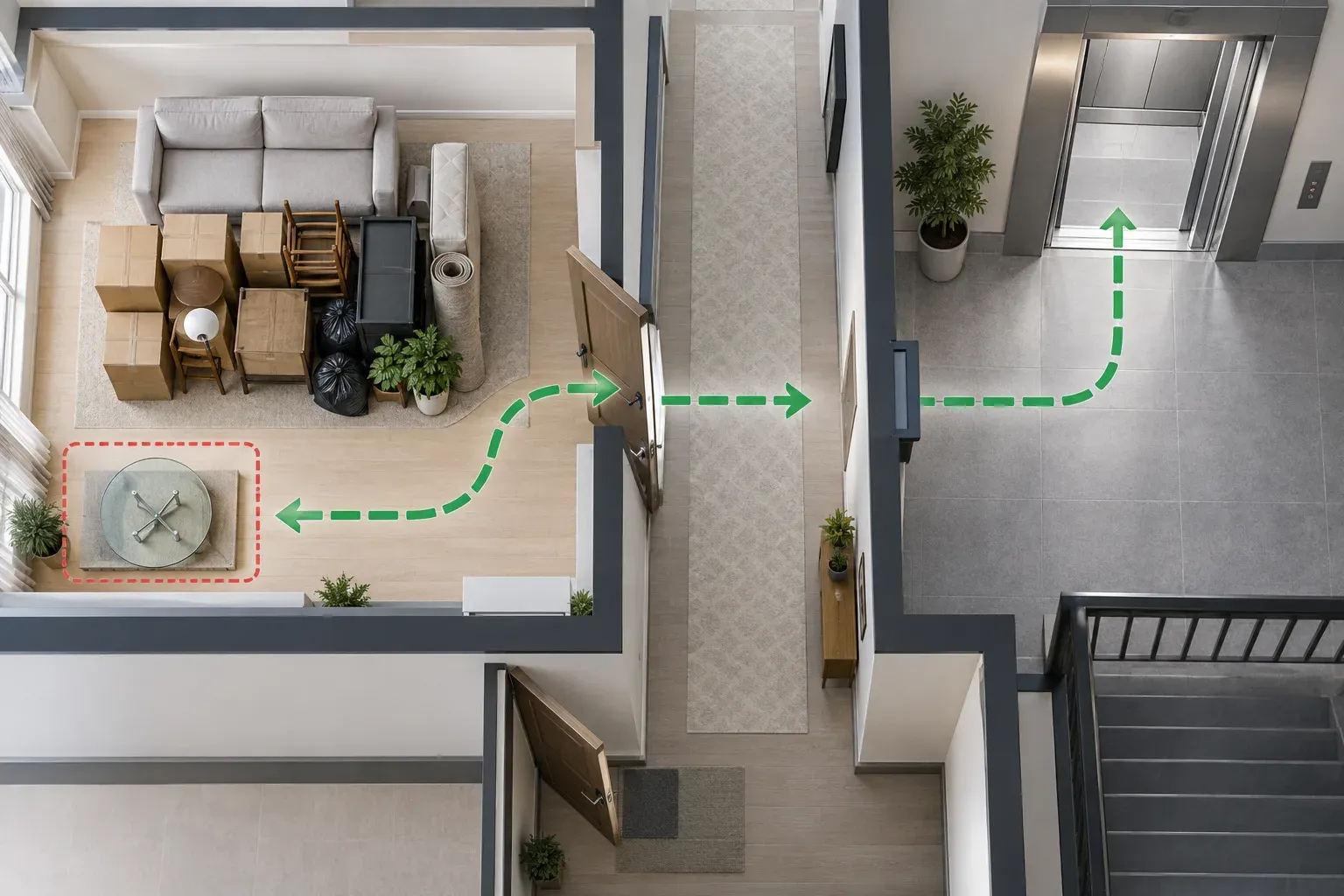
Clear the floor around each desk before the crew arrives. Move chairs, bins, plants and loose equipment out of the way. Protect corners and thresholds, and keep fire exits and shared passages open. If the office remains occupied, work in zones so staff can continue to use the parts of the floor that are not yet being cleared.
Do not stage desks in a corridor or lift lobby unless the building has approved it. A neat pile that blocks an escape route still creates a problem. Stage items within the tenant's own area and move them in sequence to the lift.
Ask the collector for a quote that matches the desks
Send a request that lists the desks by type and quantity. Include dimensions for the largest pieces, whether any are modular or fixed, the number of pedestals and storage units, and the floor and lift details. Describe whether the desks will be completely empty and whether any dismantling is expected.
Useful details for the commercial junk removal service include:
- The building name, floor and loading arrangements.
- The number and type of desks and attached pedestals.
- Any workstation clusters that must be separated.
- Whether drawers, lockers and devices have been emptied.
- Any desks that remain on site.
- The route, lifts, doors and access hours.
- The person authorised to approve the load.
- Photographs of the whole group and any difficult unit.
Ask what the quote includes: carrying from the workstation, dismantling, floor protection and the number of visits. Ask what remains the office's responsibility, such as data handling, disconnecting hard-wired power and obtaining building permission. A clear scope is more useful than a headline price that depends on unstated assumptions.
Confirm the sequence
A single day often involves several parties, such as IT staff, building security, facilities, cleaners and a removal crew. Put the order of work in writing. Devices come off first, then drawers are checked and desks are released, then the crew dismantles and moves them. The cleaners and landlord inspector should only follow once the floor is empty.
Assign one person to walk the floor with the collector and answer questions. That person should hold the inventory and have the authority to remove a desk from the list at once if its status is uncertain.
Check the floor after removal
After the desks have gone, walk the area with the inventory. Compare the empty positions with the list, then check for left-behind keys, labels, screws, paper, cables and floor-box covers. Look for marks on flooring, walls and partitions. Photograph the finished area before handover so the office has a record of its condition.
Make sure every retained desk is still where it should be and that no personal property has been removed in error. If a desk is missing or an unlisted item has gone, raise it immediately with the collector and the building manager, using the photographs and inventory as reference.
Collection removes the agreed furniture. It does not certify that data has been erased, release a leased asset from its owner or decide what the landlord will accept at handover. Keep the supplier, landlord and IT documents with the removal record, and note any matters that remain open.
Reuse is a decision, not an assumption
Some desks may be suitable for transfer or donation, but the condition and ownership must be confirmed first. A recipient should not receive an unstable top, missing hardware or hidden contents. If a desk cannot be reused safely, say so plainly and send it through the removal route rather than offering it to somebody else.
Do not promise that any desk will be reused, recycled or resold. Those outcomes depend on its condition and the receiver. Record what the service actually confirms and keep that separate from what the office hopes will happen.
A good desk removal is mostly done before the crew arrives. Build the inventory, resolve ownership, empty every drawer, separate technology and fixed parts, measure the route and give the collector a quote request based on the actual desks. Those steps keep a routine furniture job from becoming a delay.
Questions about office desk removal
Do I need to empty the desks before removal?
Yes. Remove personal belongings, documents, keys, cards, batteries, liquids and electronics before the crew arrives. Locked drawers should be opened by the authorised person, not forced during the visit.
Can desks be collected with monitors and computers attached?
Disconnect them first. Computers, monitors, docking stations and phones need their own inventory and handling. The business remains responsible for data on any storage device.
Who is responsible for dismantling a modular workstation?
The office and collector should agree this before the day. Do not assume it is included. State which units need to be separated and who has permission to do it.
What should I do about fixed or built-in desks?
Check with the landlord or building manager. Reception counters and fitted workstations may be part of the premises, and their removal is a separate fit-out matter rather than loose furniture clearance.
How can I avoid removing the wrong desk?
Use a numbered inventory, photographs and visible tags for desks staying on site. Have one authorised person walk the floor with the crew and remove anything uncertain from the load.